Basic Course 2: Pocket Change

Non-custodial hot-wallets using public node

Overview

In Basic Course 2: Hot Wallets you will learn how to set up a hot wallet for daily use using both the baselayer and the lightning network. You will also learn what the risks of the hot wallet are and what best practice is for handling it.

Want to go deeper? Explore the advanced courses for long-term security and Lightning mastery. Advanced CoursesPremium.

If you have questions feel free to contact us at: contact@btcguides.de

To support the website scan the QR code to send Sats via ⚡ lightning network: ruddywall05@walletofsatoshi.com

QR code for lightning donation

QR code for lightning donation

Stage 1: Preparation

Stage 1.1: Terminology

See below the six terms needed for proceeding with the guide.

Stage 1.1.1: Hot Wallet

A hot wallet is a wallet in which the private key is saved or transmitted to a device which has an internet connection.

Stage 1.1.2: Private-Key

To hold Bitcoin one has to be able to keep a secret. This secret is called the private key. The private key is a number which can be encoded as a list of words. Knowing the private key means owning the locked coins. Keeping the private key secret is the responsibility of each owner. Who ever knows the secret can unlock the coins and transfer them. There are multiple methods for storing and safeguarding private keys.

  • the private key is a very large number
  • it must be kept secret as it unlocks your coins
  • it can be displayed as a number, a (seed)phrase or a QR code

Stage 1.1.3: Custodial Wallet

Custodial wallets are essentially bank accounts in that they transfer the task of keeping the private-key secret to a centralized business. The custody of a users money is given to a business aka a bank.

This offers a very quick and easy fix to problems such as losing ones private-key through theft or negligence, however it also introduces an attack vector by having to trust the bank not to lose or misuse the persons private-key.

Stage 1.1.4: Self custody / non-custodial wallets

Self custody refers to the practice of taking responsibility over safeguarding ones private key while minimizing reliance on a third party. This can be done to varying degrees. Using a non-custodial wallet solution is a good first step to interact with such a system.

Using a non-custodial hot wallet offers a lot of the benefits of using a custodial hot wallet while eliminating some, albeit only few, of the risks posed by relying on a third party.

Stage 1.1.5: Bitcoin Baselayer / Bitcoin Network

image of phoenix wallet home screen image of phoenix wallet receive screen

The "bitcoin network" is a decentralized system that enables users to transact, transmit, and verify information securely through its blockchain. It is intentionally energy-intensive due to its proof-of-work consensus mechanism, which ensures high security and immutability, making it resistant to cheating and tampering. Designed for robustness rather than speed, the bitcoin network is not suited for daily microtransactions but instead focuses on being a reliable, slow, and steady method for transferring significant value and information.

Decentralization: The Bitcoin network is a decentralized system with no central authority, composed of thousands of nodes globally that validate and propagate transactions.

Blockchain Technology: It operates on a blockchain, a public, immutable ledger where all transactions are recorded in a sequence of blocks.

image of phoenix wallet home screen image of phoenix wallet receive screen

Proof-of-Work (PoW): It operates on a blockchain, a public, immutable ledger where all transactions are recorded in a sequence of blocks. To add a new block, participants must correctly guess a number within an extremely large range. This process requires significant computational effort, which consumes real-world energy, and serves to secure the network and maintain its integrity.

Energy Intensive: PoW is intentionally energy-intensive to maintain security and prevent malicious activities, making the network robust and tamper-resistant. By requiring real energy, in the form of electricity, to add to the block chain, any one fraudulent actor who would want to publish false information would have to bring in more energy than the other participants of the network and do so continuously for as long as they want to uphold the lie.

Transaction Validation: Nodes on the network validate transactions against Bitcoin's consensus rules, ensuring all transactions are legitimate and preventing double-spending.

Transparency and Pseudonymity: All transactions are publicly visible on the blockchain, but users' identities are pseudonymous, represented by their Bitcoin addresses.

Limited Supply: Bitcoin has a capped supply of 21 million coins, making it deflationary and giving it store-of-value characteristics.

Security and Immutability: The network's design ensures that once transactions are confirmed, they are irreversible, providing a high level of security and trust.

Scalability and Speed: While secure, the Bitcoin network is relatively slow and not designed for high-frequency microtransactions; it's better suited for larger, less frequent transactions. This is by design. For microtransaction Bitcoiners use the Lightning Network.

Base Layer for Layer 2 Solutions: The Bitcoin network serves as the foundational layer for layer 2 solutions like the Lightning Network, which aims to improve transaction speed and reduce costs for smaller, daily transactions.

Stage 1.1.6: Lightning Network

image of phoenix wallet home screen
Photo by Sabine Hertel. Restaurant: Delicious.

The Lightning Network is a layer 2 solution built on top of the Bitcoin network to facilitate microtransactions at high speeds and low costs. It achieves this by creating off-chain payment channels between users, which allows for fast and frequent transactions without the need to record each one on the blockchain. However, this speed and efficiency come with a trade-off: the Lightning Network sacrifices some of the security and decentralization inherent in the base Bitcoin network. Despite this, it still offers the ability to settle disputes and refer back to the Bitcoin network, ensuring that the fundamental security and integrity of transactions can be maintained when needed.

Layer 2 Solution: The Lightning Network is built on top of the Bitcoin network to facilitate faster and cheaper transactions.

Microtransactions: It is designed specifically for microtransactions, allowing for high-frequency and small-value transactions.

Off-Chain Payment Channels: Transactions occur off-chain in payment channels between users, reducing the load on the main Bitcoin blockchain.

Speed and Cost Efficiency: The Lightning Network enables near-instant transactions with minimal fees, making it cost-effective for small payments.

Security Trade-Off: While offering speed and efficiency, the Lightning Network sacrifices some of the security and decentralization of the base Bitcoin network.

Settlement on Bitcoin Network: Disputes and final settlements can be referred back to the Bitcoin network, ensuring the security and integrity of transactions.

Add security to your setup with the combined advanced course: Advanced: Lightning (Wallets + Node)Premium.

Stage 1.2: Prerequisites

  • smartphone
  • Internet connection

Stage 1.3: Questions to consider

  • Have I backed up my private-key?
  • What are the fail safes in place to prevent the loss of the backup?
  • What could lead to me losing my funds?

Stage 2: Getting started

Stage 2.1: Download and installation

For our guide we will use Phoenix wallet. Guides for Green Wallet and Blue Wallet will follow in the future.

If you know how to install an application on your iPhone, Android or other phone of your choice, then you can skip to Step 4.

Step 1:

Go to your App-Store / Play-Store

image of app store emblem image of play store emblem

Step 2:

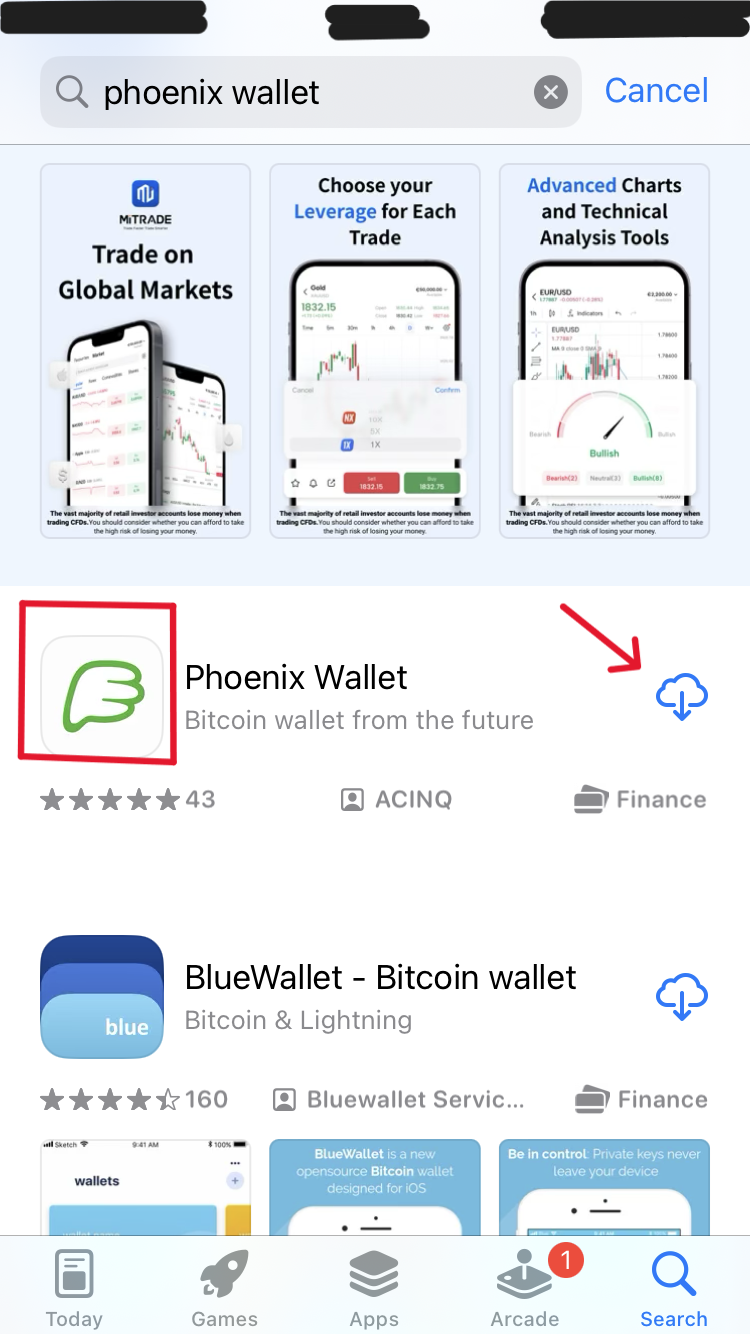
Type "phoenix wallet" in your search bar and press the "search" button

image of app store screen image of phoenix wallet emblem

Step 3:

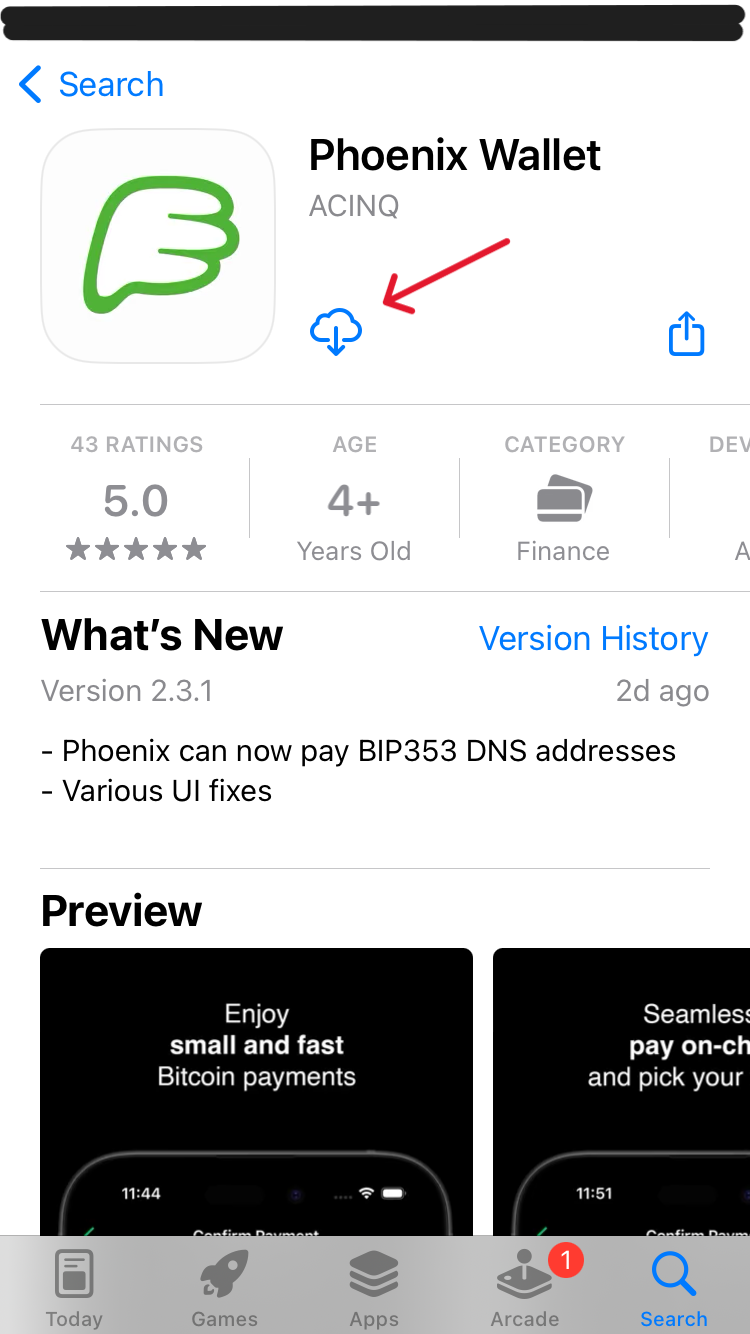
Press the "download" button, once it finished, press the "open" button

image of phoenix wallet in app store image of phoenix wallet in app store

Step 4: Installing Orbot App

The Orbot App will allow you to access the Tor network and connect to your nodes electrum server later in the guide.

This is not mandatory for transactions but will improve privacy. It can however also lead to payments not making it through if the TOR network can't be reached.

To install it simply search and download as above only this time look for "orbot".

Stage 2.2: Enabling TOR Browser

It is recommended to have TOR enabled. This is to protect your IP address from your ISP (Internet Service Provider) as well as any other potential observers. However if during a trade or payment connectivity problems occur, the user may choose to disable TOR and therefore show their IP address to Phoenix Wallets Node (ACINQ) as well as other third parties.

Disabling TOR once will result in an IP leak that can permanently make the wallet identifiable with a person.

Step 1:

Skip or read the introduction until you reach the first buttons.

Step 2:

Press the little gear in the top right corner

image of phoenix wallet home screen

Step 4:

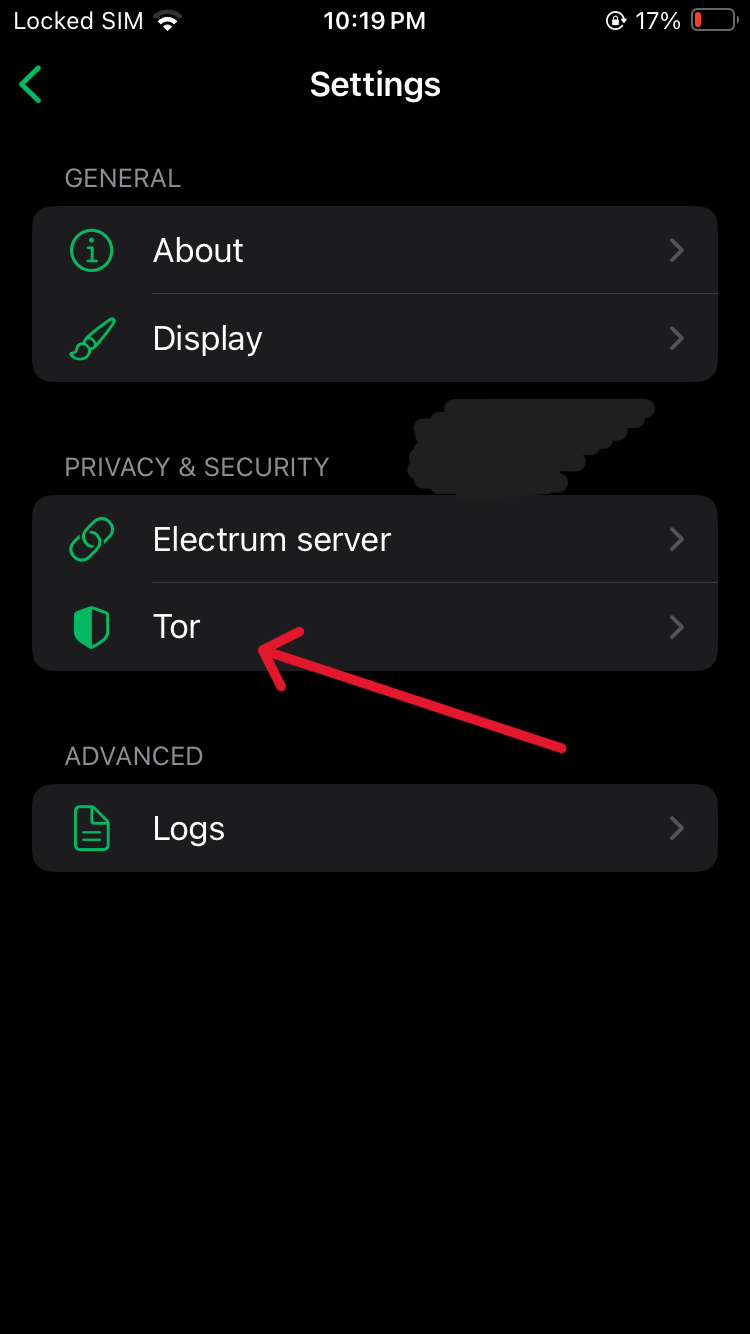
Go to "Tor"

image of phoenix wallet home screen

Press the switch to enable Tor.

Stage 2.3: Connecting Electrum Server

If you have completed our Node guide, which is highly recommended, you will have access to your own Electrum server. If you did not and choose not to do so now, you may skip to Stage 2.4 to test your wallet recovery process.

Note that if you do not use your own nodes Electrum server the public server you use will learn all your current and future addresses as well as your transaction history. This does not endager your private key, but lessens your privacy.

Add security to your setup with this advanced course: Advanced: Lightning (Wallets + Node)Premium.

Bitcoin Wallet Privacy Setups (Best → Worst)
Setup Tor? Own Electrum Server? IP Privacy Wallet/Blockchain Privacy Notes / Risks
Tor + Own Electrum ✅ IP hidden ✅ Full wallet privacy Best privacy: both network and wallet protected
Tor + Public Electrum ✅ IP hidden ❌ Server sees XPUB, addresses, balances, tx history Partial privacy: wallet exposed, network hidden
No Tor + Own Electrum ❌ IP exposed to server/ISP ✅ Full wallet privacy Wallet private, but network metadata exposed
No Tor + Public Electrum ❌ IP exposed to server/ISP ❌ Server sees XPUB, addresses, balances, tx history Worst privacy: everything exposed

Step 1:

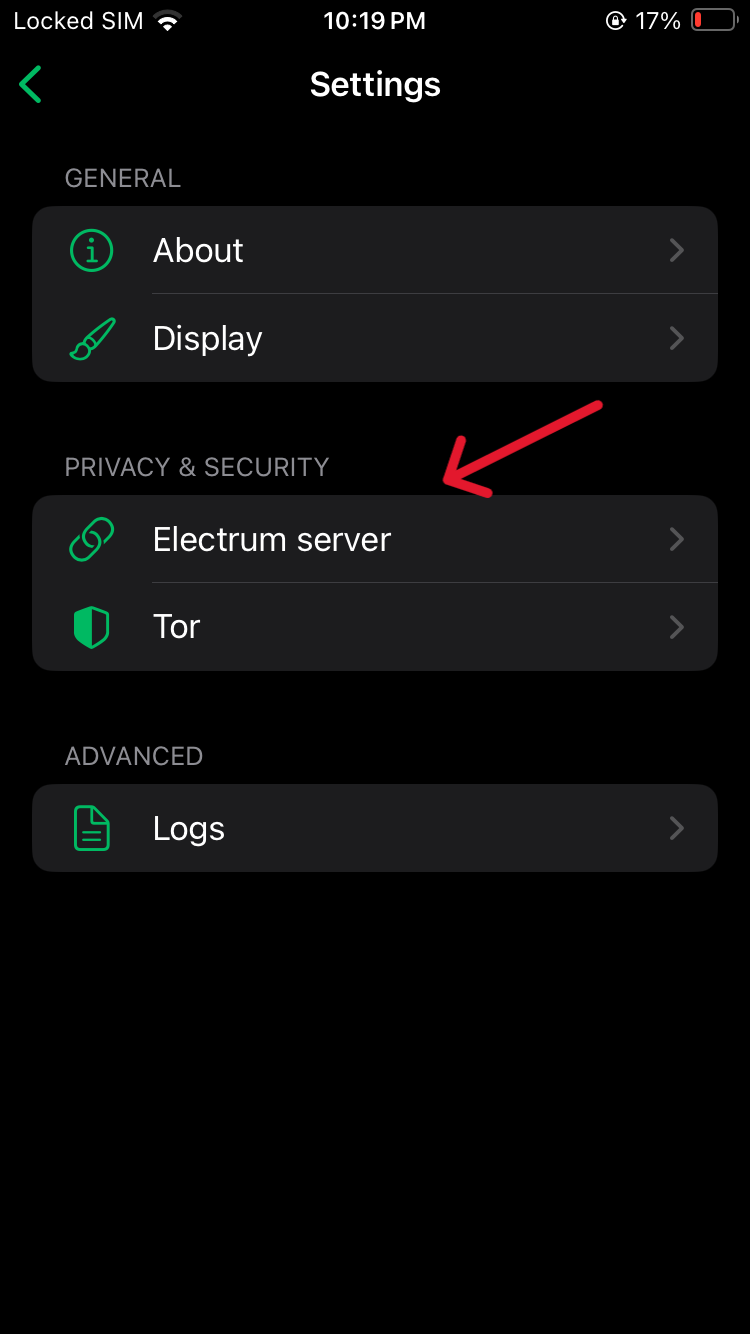
Go to Electrum Server

image of phoenix wallet home screen

Step 2:

Go to "Modify"

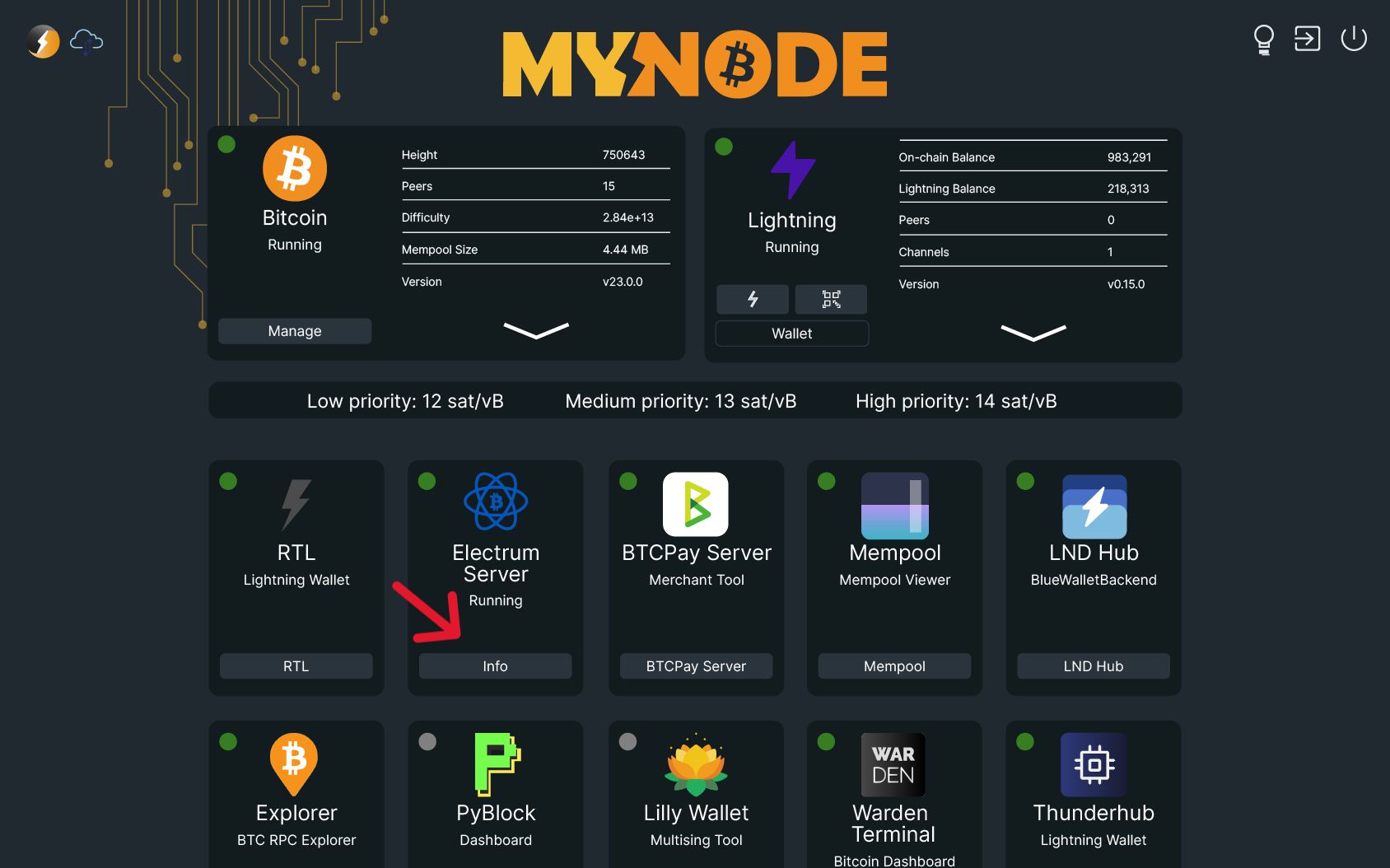
Step 3: Get the Electrum Server address

Go to your MyNodeBTC interface and click on Electrum Server

image of mynodebtc interface

Step 4:

Copy the address from either of the marked spots. Either from "Hostname" or from "CLI Command". It has to end in ".onion"

image of phoenix wallet home screen

Step 5:

Input the onion address into the server field where it says "example.com" and use port 50002. Then press the "save" button.

Step 6:

Go back to the wallet creation and follow the instructions.

Stage 2.4: Testing Wallet Recovery

Now that you've created the wallet, we will test recovery.

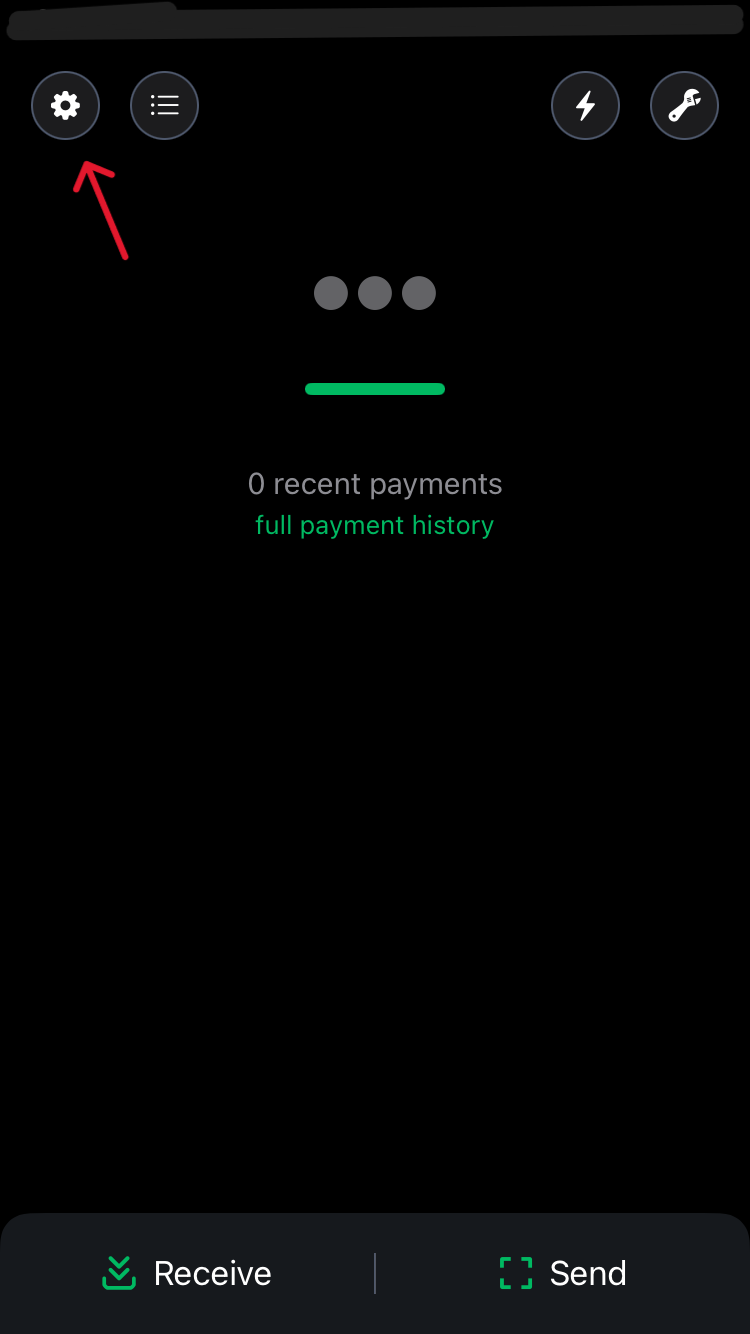
Step 1:

In the top left corner press the little gear button to enter the settings.

image of phoenix wallet home screen

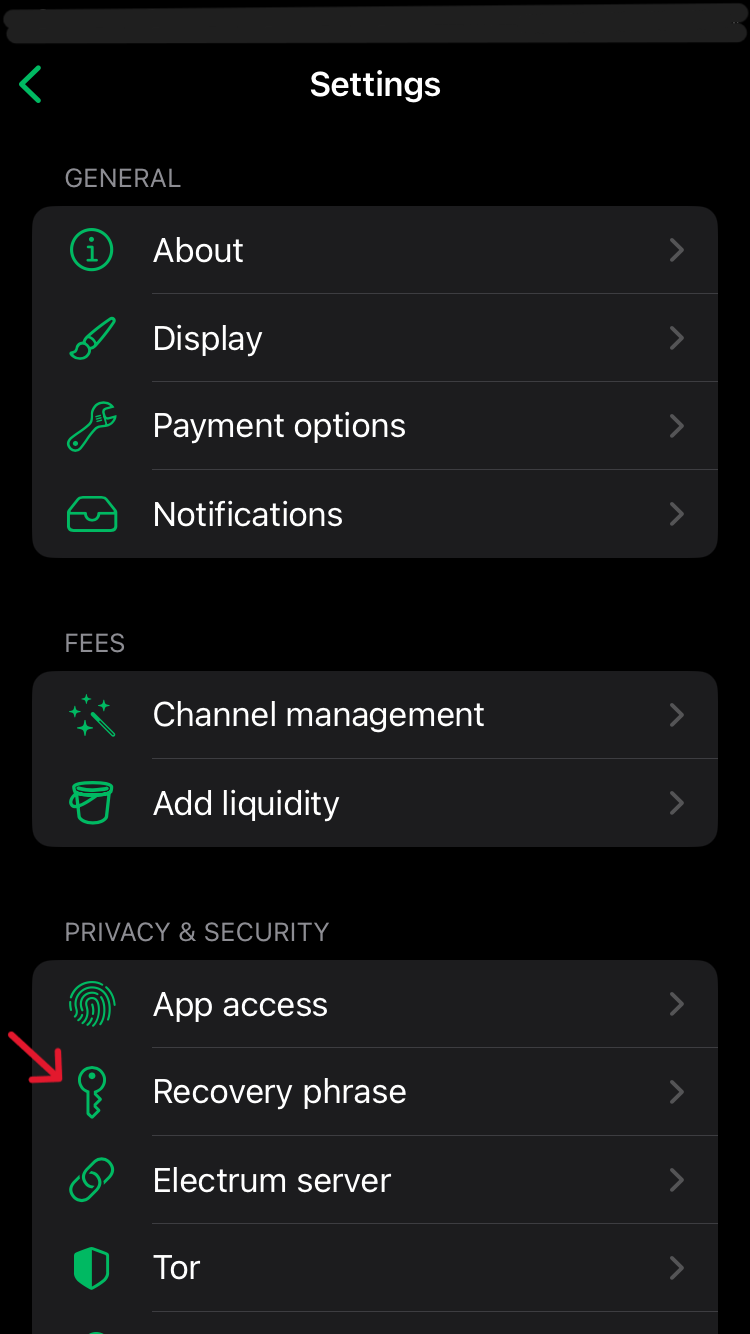
Step 2:

Click on "recovery phrase" and read the text displayed.

image of phoenix wallet settings screen

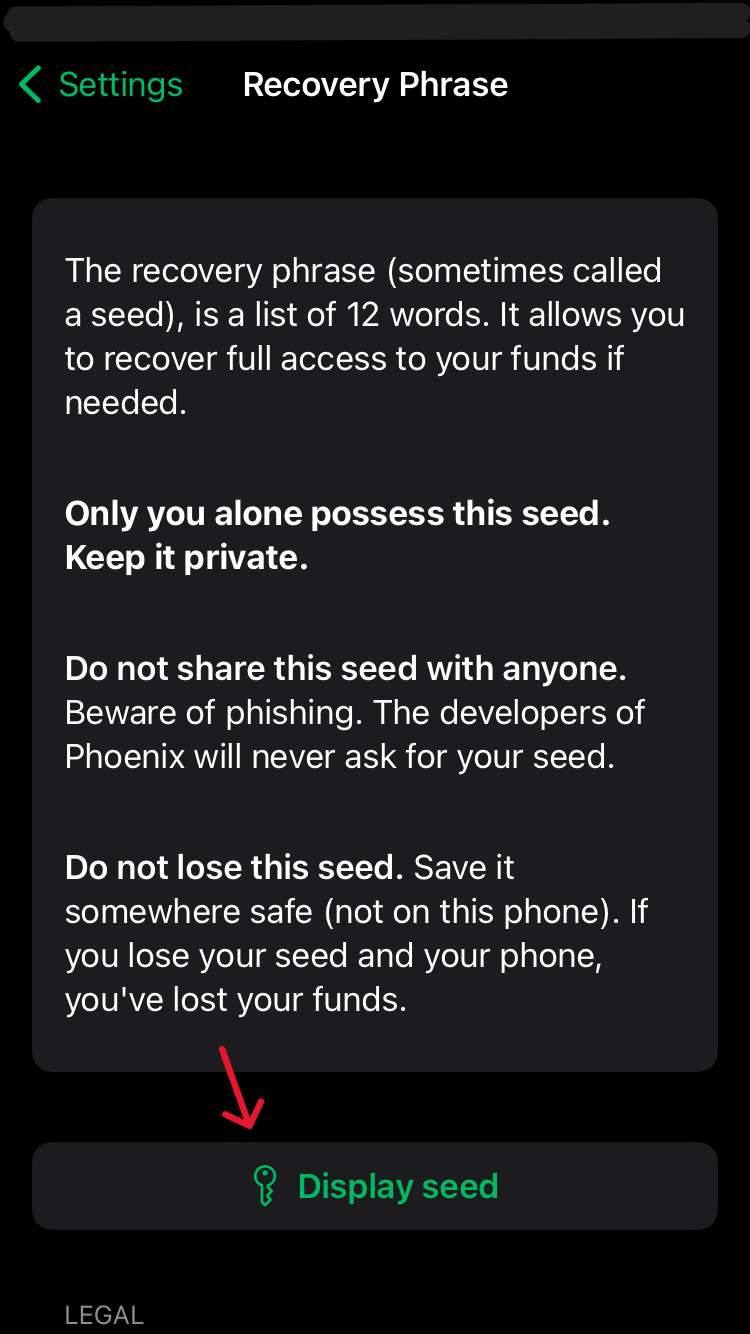
Step 3:

To confirm once more you've written the private-key down correctly during the creation process, click "Show seedphrase / recovery phrase" and note the words down in a secure location.

You must remember it or funds will be lost.

Then check the boxes under legal stating you have secured your private-key and are aware that your funds will be lost without it upon losing the phone. (Remember private-key = seedphrase = recovery phrase = seed = secret)

image of phoenix wallet seedphrase screen

This wallet is much like your daily physical wallet. You only put as much money in there as you'd be willing to potentially lose or have robbed if it were to happen.

Step 4: Receive Bitcoin

Now we will put some Bitcoin in our new hot wallet. This first amount should be small.

For this you will need Bitcoin that you either buy, bought or a friend or stranger is willing to send you.

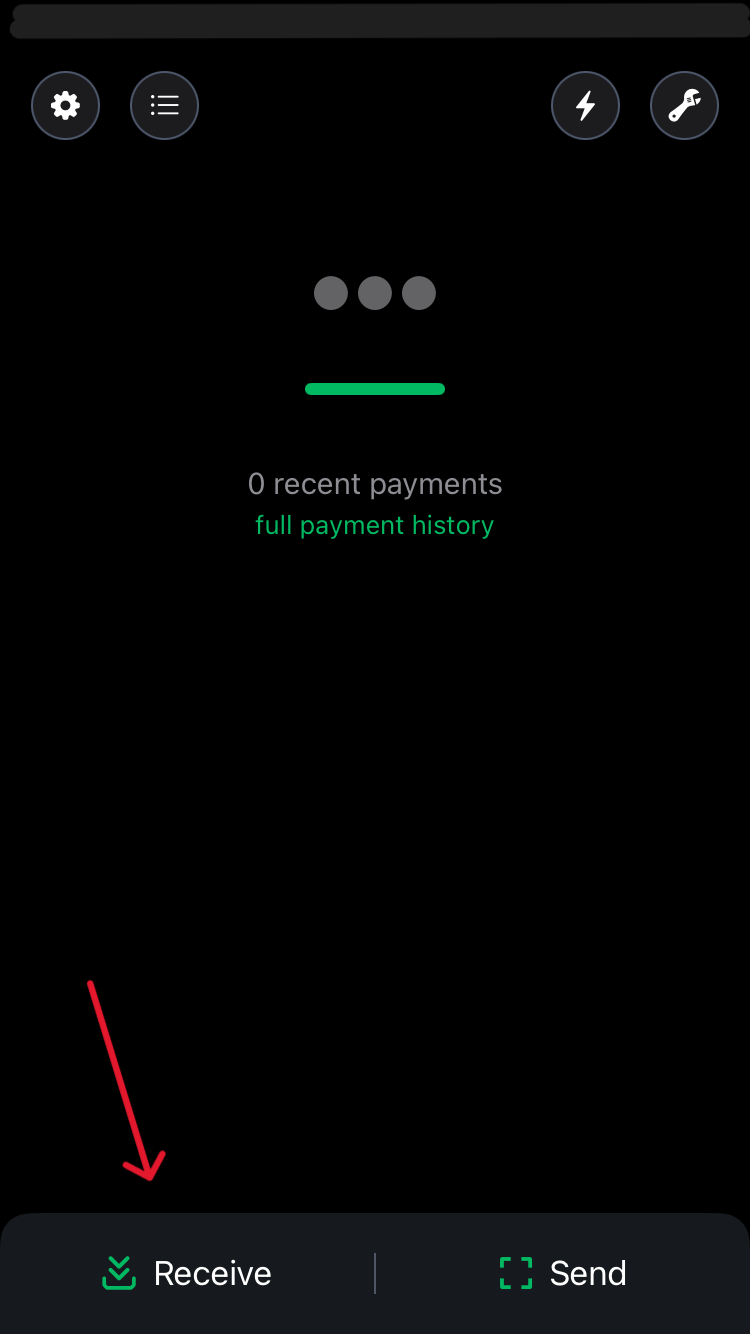
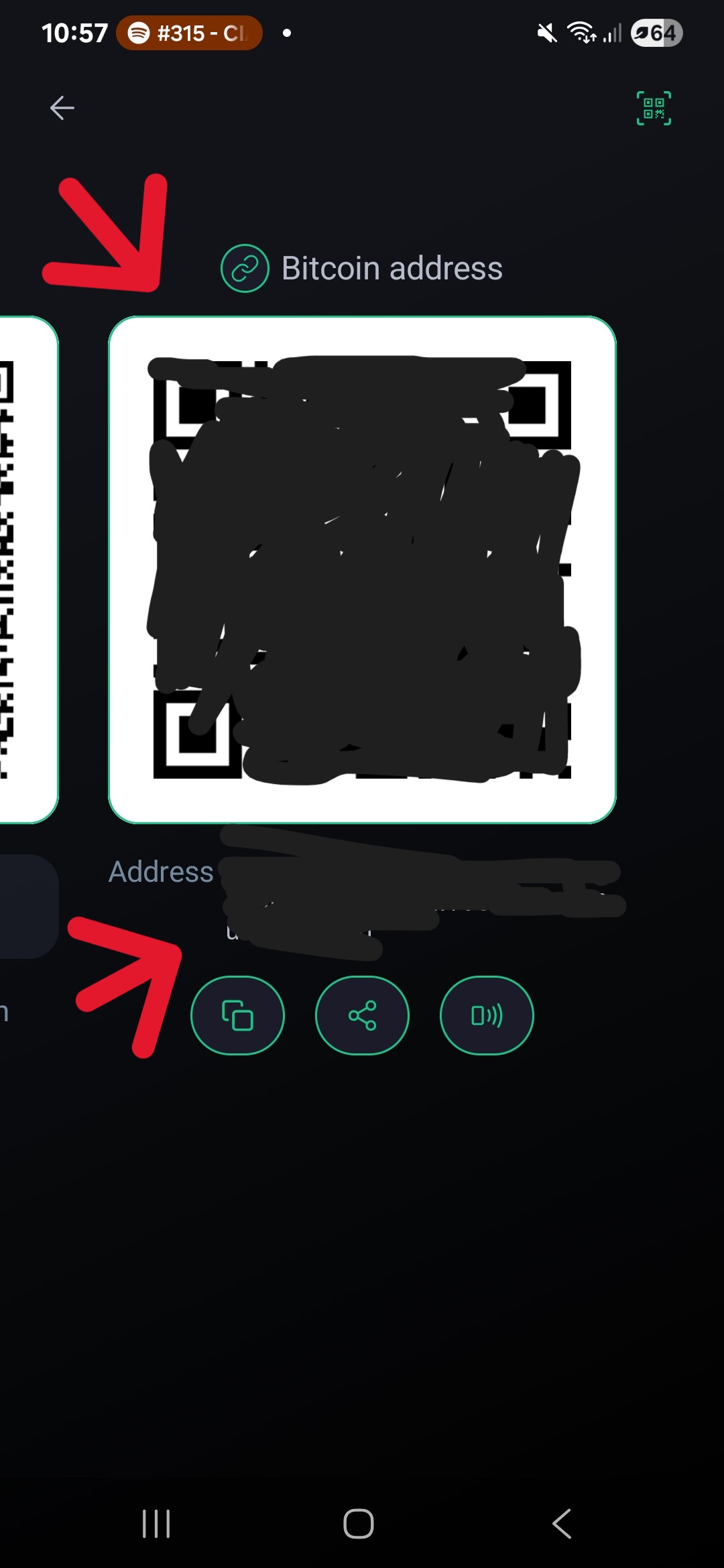
Press the "receive" button, swipe to the right to get the on chain Bitcoin address and scan the QR code which is displayed.

The sender, whether that is you or someone else, now sets how many sats will be sent. If you can not scan the QR code, you simply copy the Bitcoin Address as marked by the red arrow.

image of phoenix wallet home screen image of phoenix wallet receive screen

Step 5:

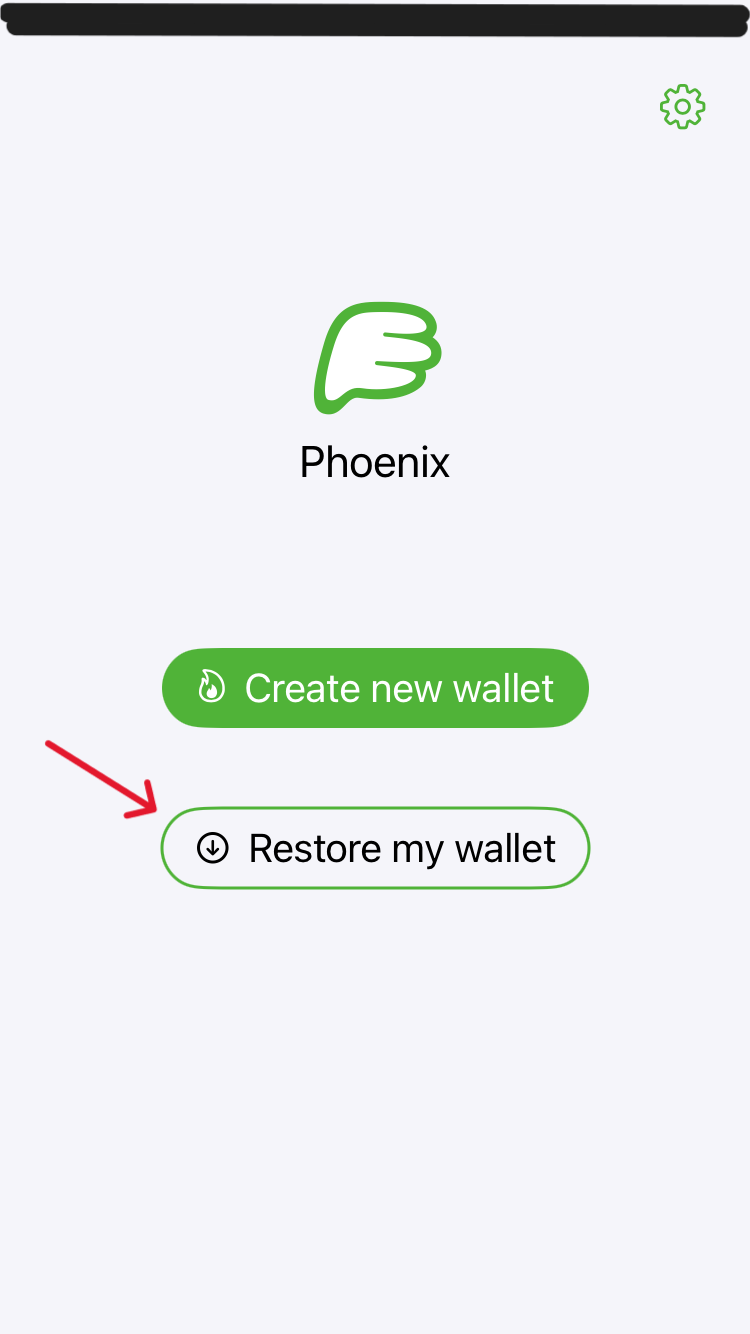
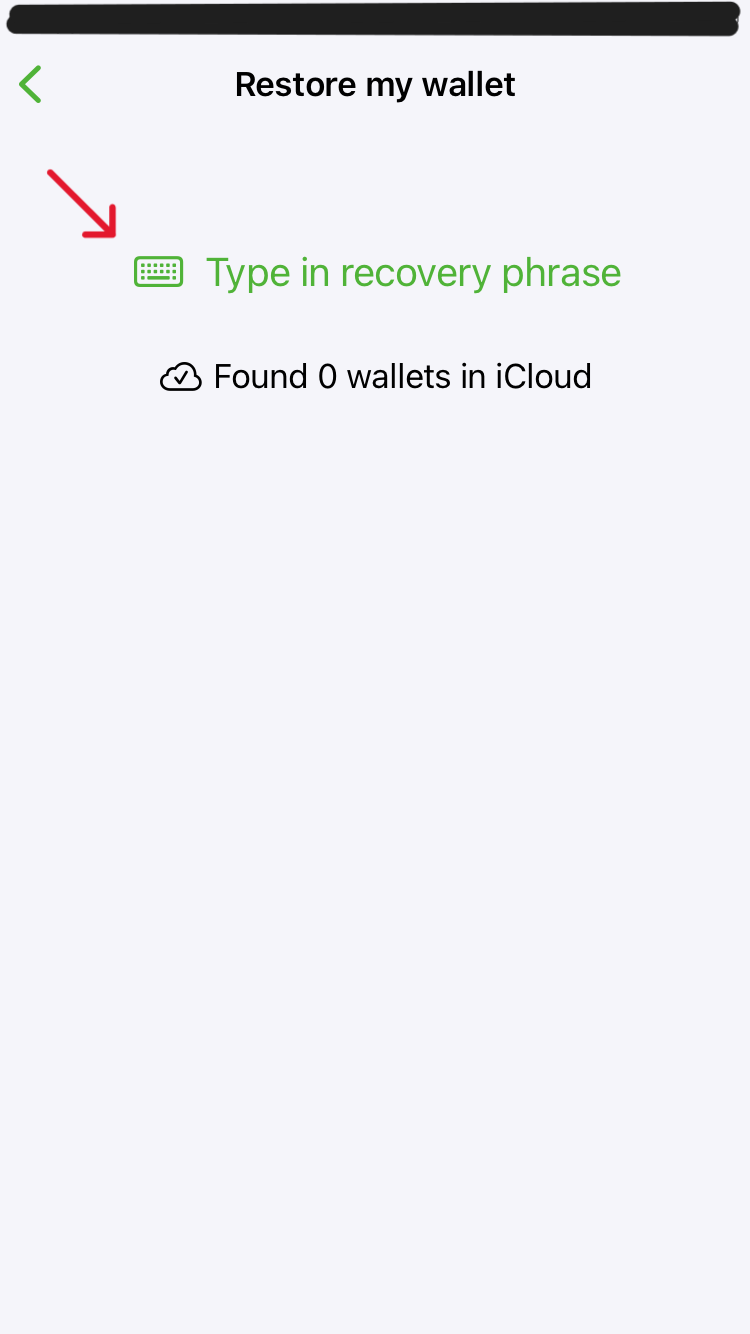
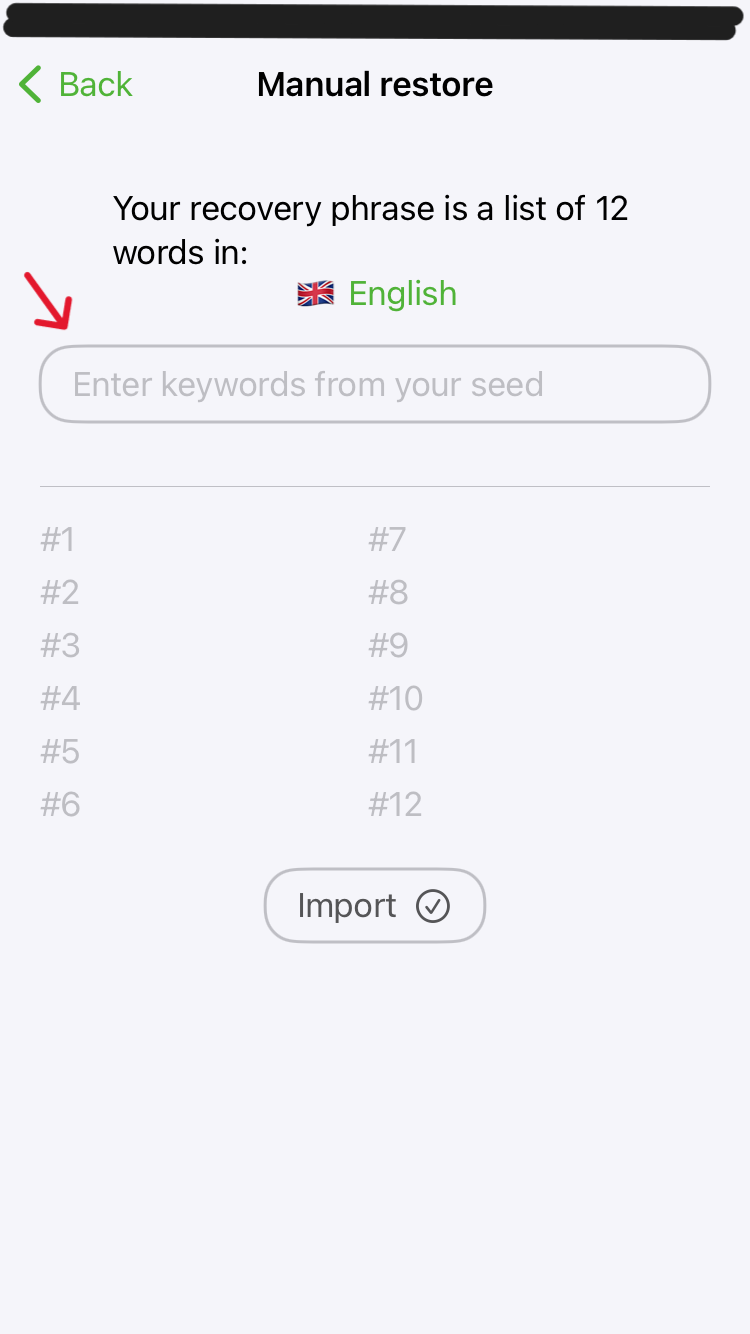
Test your recovery process by deleting the application and then reinstalling it to recover the wallet.

The small amount of sats you sent should show up in your balance.

NOTE: The seedword will be entered when you press space on your keyboard. Make sure there are no spelling errors.

The app will also suggest words from the wordlist.

image of phoenix wallet recovery screen image of phoenix wallet recovery screen image of phoenix wallet recovery screen image of phoenix wallet recovery screen

If the sats showed up it means you are able to recover your wallet in case you lose the phone or you want to import it to another application.

Optionally you can now test sending BTC to another wallet of yours or one of ours to support the website.

⚡ Lightning: Use the text address ruddywall05@walletofsatoshi.com or the QR code.

QR code for lightning donation

Stage 3: Introduction to seed storage

Terminology

There are many terms used within the Bitcoin space to describe the private key itself and a lot of terms used to describe the system used to protect the private key from being lost.

The strategy you use to protect your private key is called backup or seed storage strategy.

Go deeper on backups with this advanced course: Advanced: Seed StoragePremium.

Now let us do a thought experiment revolving around our backup strategy.

The Task

We have a piece of information we do not want to lose. We need to devise a system that will make the backup most resilient and protected from outsiders and natural influences.

The Situation

So far our back up is a piece of paper out in the open on our desk.

The Attack Vectors

  • We accidentally throw the paper in the trash (negligence)
  • Someone walks into the room and either discards the paper (negligence) or worse steals the private-key (theft)
  • Depending on the ink used, water could make the text unreadable

Try to get into the habit of noticing flaws in your system and finding solutions for them.

Let's work through the list of attack vectors we made.

The Defenses

Scenario 1 could easily be solved with a few steps. We could put the paper in a folder and give it a place on a shelf. It would also make sense to make a second copy of the private-key backup and store it somewhere else.

You decide how many backups there are and how far apart the backups should be stored. This can range from a second copy in the same folder to a different folder in a completely different location.

Scenario 2 introduces another person. It could be a family member or an intruder. Either way, if they are not supposed to know the private-key, for the purpose of simplicity, we will consider them an intruder.

While always locking your doors and windows should be a given, someone could still make their way into your home. Depending on your countries laws you are limited in the ways you can defend yourself from such attacks. Instead of defending through physical power projection, the information could be hidden in a secret compartment, or even better hidden in plain site, encrypted in a way that makes it look like any old piece of information.

Of course this seems over the top when talking about a daily use wallet that might contain but a few Sats, but going through these exercises without risking large sums of money makes for better execution and less headaches while you are figuring out your personal system.

Scenario 3 Use a water proof ink, use a cellophane type foil or any other casing to protect the information or go for a material that is more resistant to water, fire and other elements.

Final Thoughts

Private-Key storage is a large topic, which we will explore together as you work your way through the security levels.
For now your focus should be on developping a habit of considering any attack vectors that could make you lose a private-key and how to defend against them.

In the next guide you will learn how to create a cold wallet and operate it in a way to protects larger amounts of wealth.

Stuck at a specific step?

Post your issue in the Solutions Forum and I’ll reply with a concrete fix. Solved answers stay archived for everyone.
Go to Solutions Forum